
Spend time together. Not keeping score.

No mental tally, no “didn't I pay last time?”. Set what's fair once — 50/50, 60/40, whatever works for the two of you — and every shared expense quietly follows it.

Download on theApp Store
Free to start  ·  No sign-up required  ·  iPhone, iPad & Mac
Also perfect for Roommates Group trips
QR code to download Node Expense on the App Store Scan to download on iPhone
Default split
Fair isn't always 50/50 Set it once, then forget it Tonight's on you? Adjust just that one No tally to keep in your head
No subscription required — pay once, yours for life

Free plan: up to 15 personal expenses a month, no ads. Go PRO for unlimited.

Agree once

Decide what's fair. Once.

Open your group settings and set a fixed ratio between the two of you — say, 60% and 40%. Drag each person's slider to set their share, and a live total confirms the moment they add up to 100%.

  • Turn on "Use Fixed Split Ratio" for the group
  • Drag each person's slider — a live total confirms once it reaches 100%
  • Existing expenses are untouched — the ratio only applies going forward
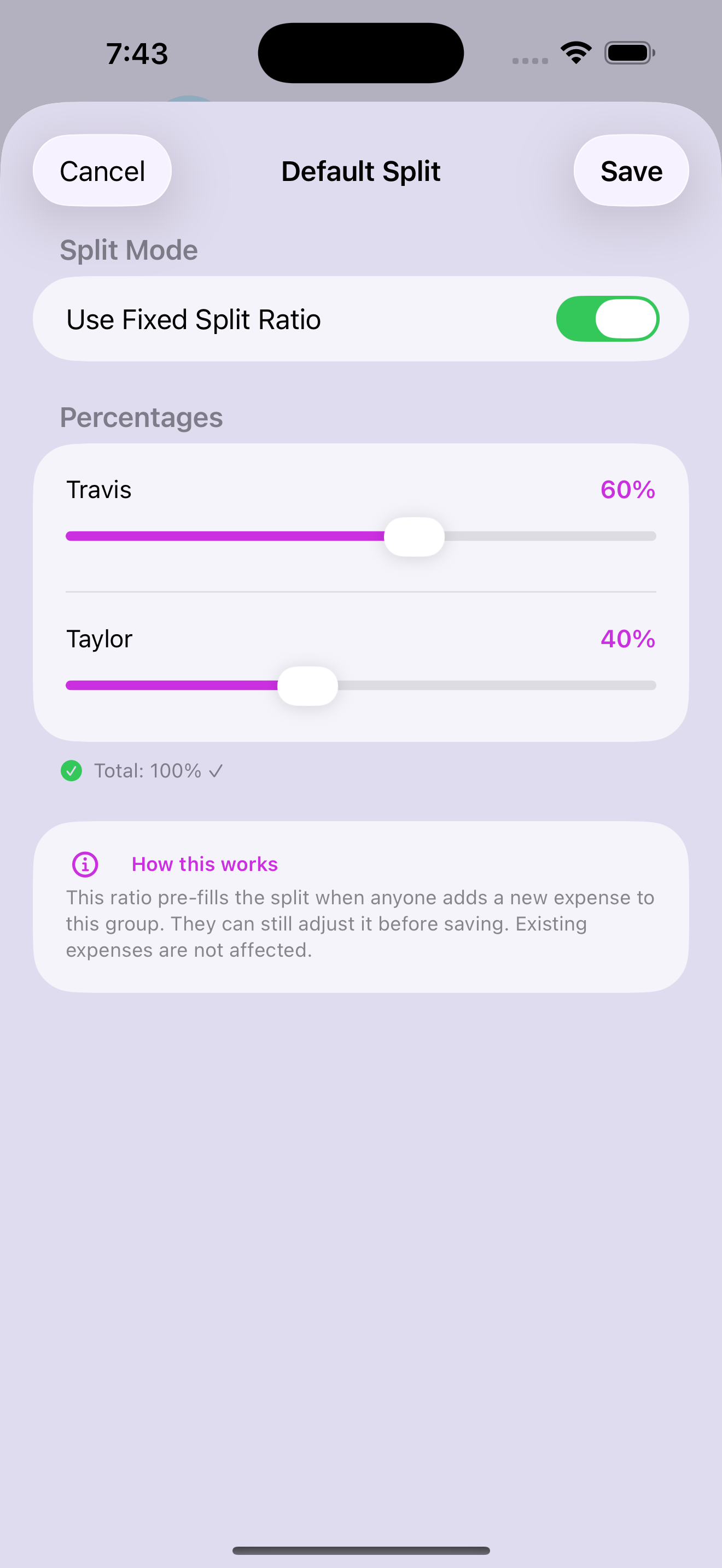
Default Split settings screen — Use Fixed Split Ratio toggled on, Travis at 60% and Taylor at 40%, total 100%
Every expense after

Then nobody does the math again.

Add an expense the normal way, and "Split by %" is already there — pre-filled to your saved ratio. No retyping 60/40 every single time one of you splits a bill.

  • "By %" opens already set to your group's default split
  • A small label confirms it: "Using group default split"
  • Sliders stay in your default's color until someone touches them
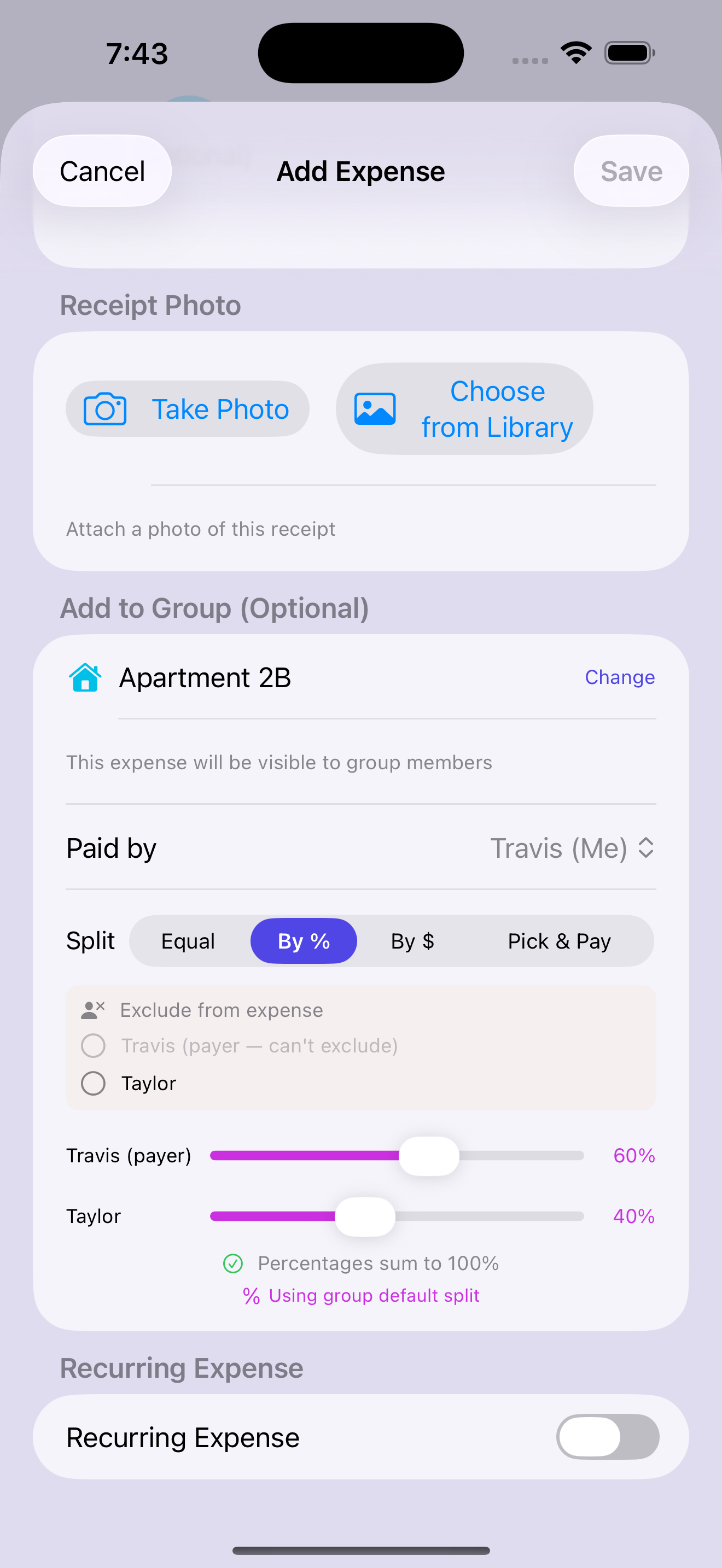
Add Expense screen with Split by % pre-filled to the saved 60/40 default, labeled Using group default split
Exceptions

Except when tonight's on you.

Splitting one big-ticket item differently just this once? Drag the slider for that expense only — your saved default doesn't change. The slider turns blue the moment it's off-ratio, so it's obvious at a glance which expenses are the exception.

  • Override the split for any single expense without touching the group default
  • Slider color changes the instant you move off the default ratio
  • Percentages still have to total 100% before you can save
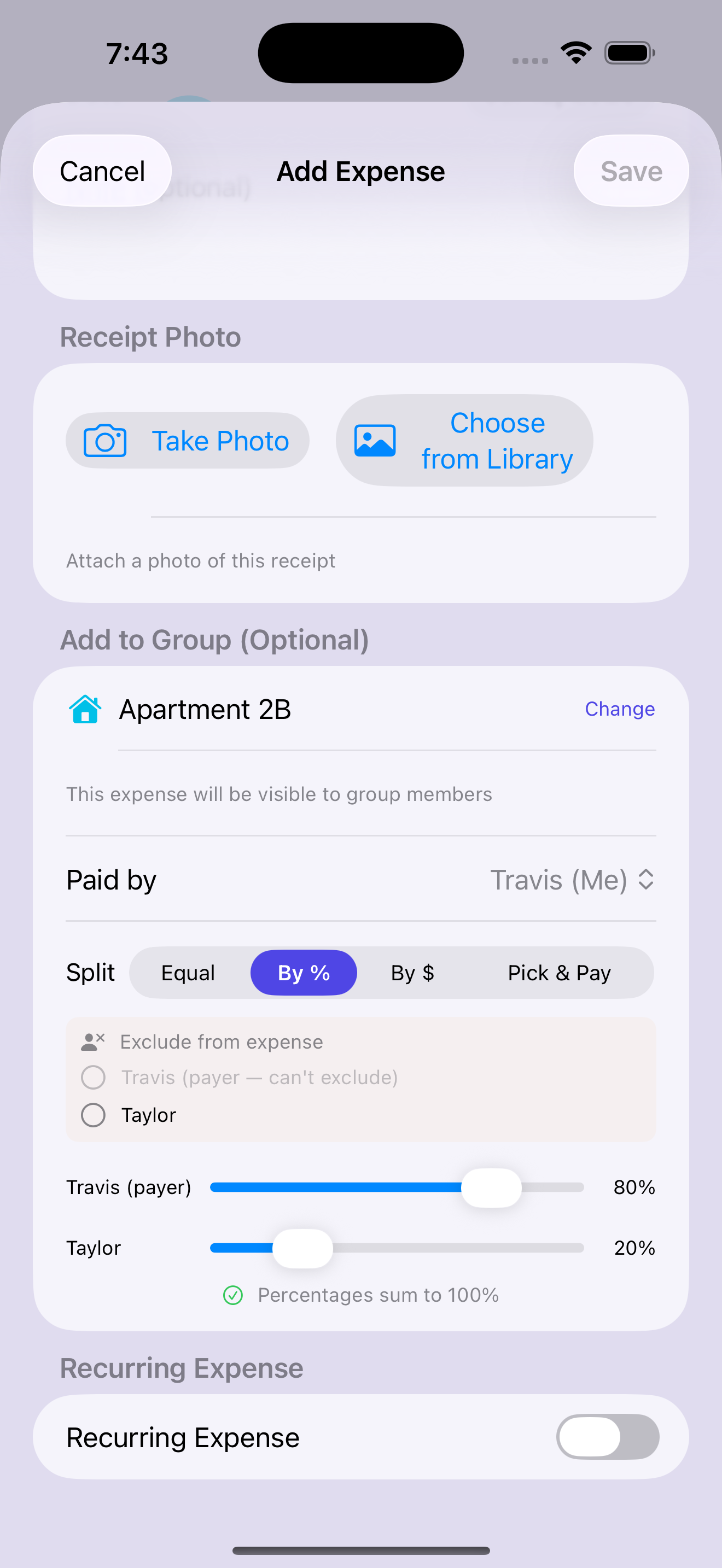
Add Expense screen with a one-off 80/20 split, sliders shown in blue to signal it differs from the saved default
No surprises

Nothing hidden. Nothing to argue about.

Your default split isn't buried in a menu — it's right at the top of the group's expense list, every time you open it. Tap the banner and you're straight into settings to adjust the ratio, any time you need to.

  • A "Default split active" banner shows your saved ratio right on the group's expense list
  • One tap takes you straight to settings to change it — no digging through menus
  • Owed money? The reminder bell sends a gentle nudge instead of an awkward text
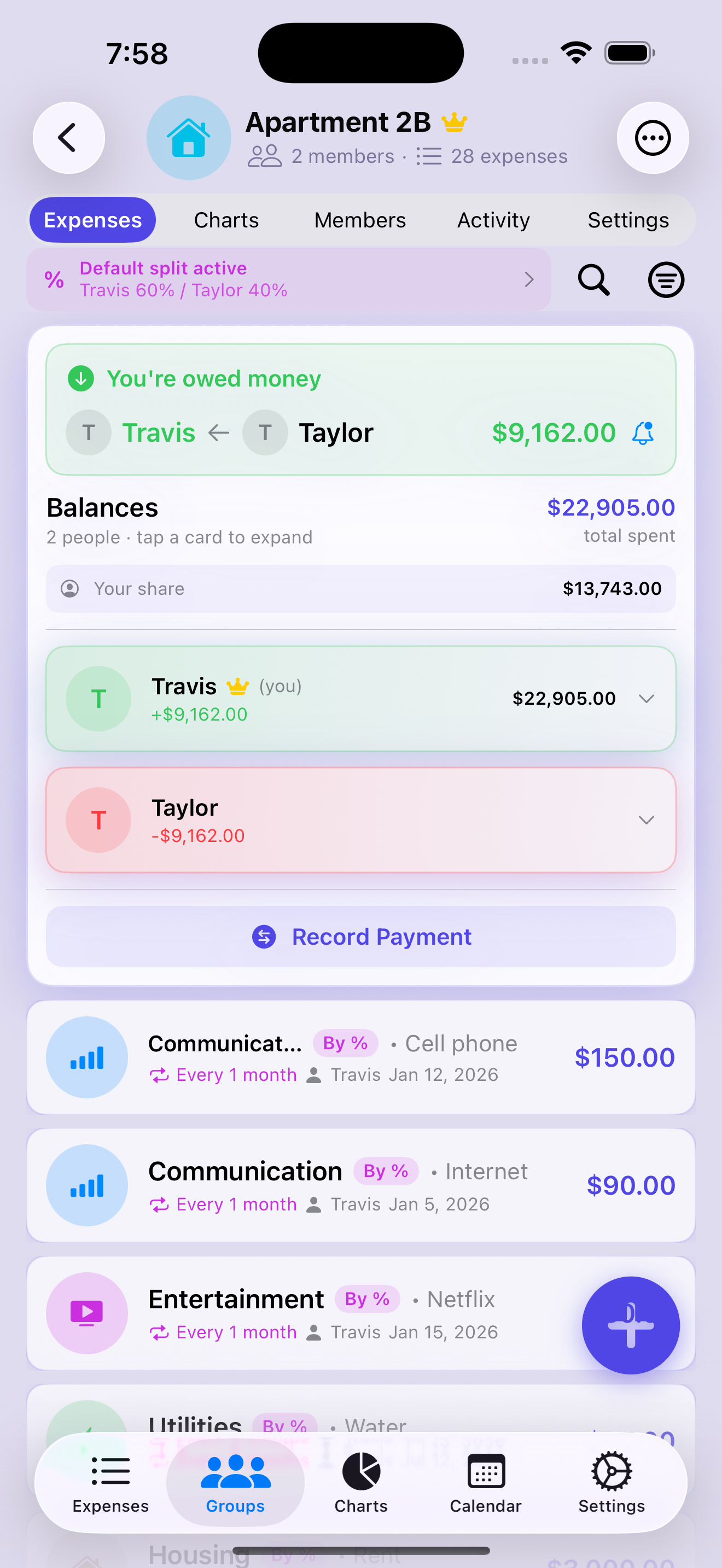
Group screen showing a Default split active banner for Travis 60% / Taylor 40%, and a reminder bell next to the amount owed
See all features
How it compares

Split smarter — and keep it private.

The things people actually switch for, side by side.

Node Expense Splitwise Tricount Settle Up
Scan a receipt and split it line by line
Import a saved photo, not just the live cameraCamera only
Split a single item by quantity (one beer, not the round)
Your receipts are never used to train AI models 1May train
Settle up via Venmo, Cash App & PayPalVenmo/PayPal
Smart debt simplification
Record a refund on any expenseWeb only
Personal spending tracker — solo, on-device
No phone, email, or sign-up required
Pay once for life — no subscriptionFree
  1. Per Splitwise's privacy policy, a third-party OCR vendor “may … train an algorithm on receipts you provide.” Node's personal scans stay on-device; group scans use Google's paid Gemini API, which is not used to train Google's models.
  2. Comparison based on each app's publicly available App Store description and privacy policy as of July 5, 2026; features may change over time.
  3. Node Expense is an iPhone, iPad & Mac app. Splitwise, Tricount, and Settle Up are trademarks of their respective owners and are not affiliated with or endorsers of Node Expense.

Private by design.

Your personal spending stays strictly on your device — no account, no sign-up, and we never link to your bank or sell your data. Shared expenses sync securely between you two, and your backups are encrypted with a key stored securely in your iCloud Keychain.

No sign-up required No bank logins Personal data on-device Secure group sync Encrypted backups

Ready to stop keeping score?

Download on theApp Store